Key benefits :
Centralizing and making reliable the inventory of all chemical products used on your sites is the first step towards effective risk management.
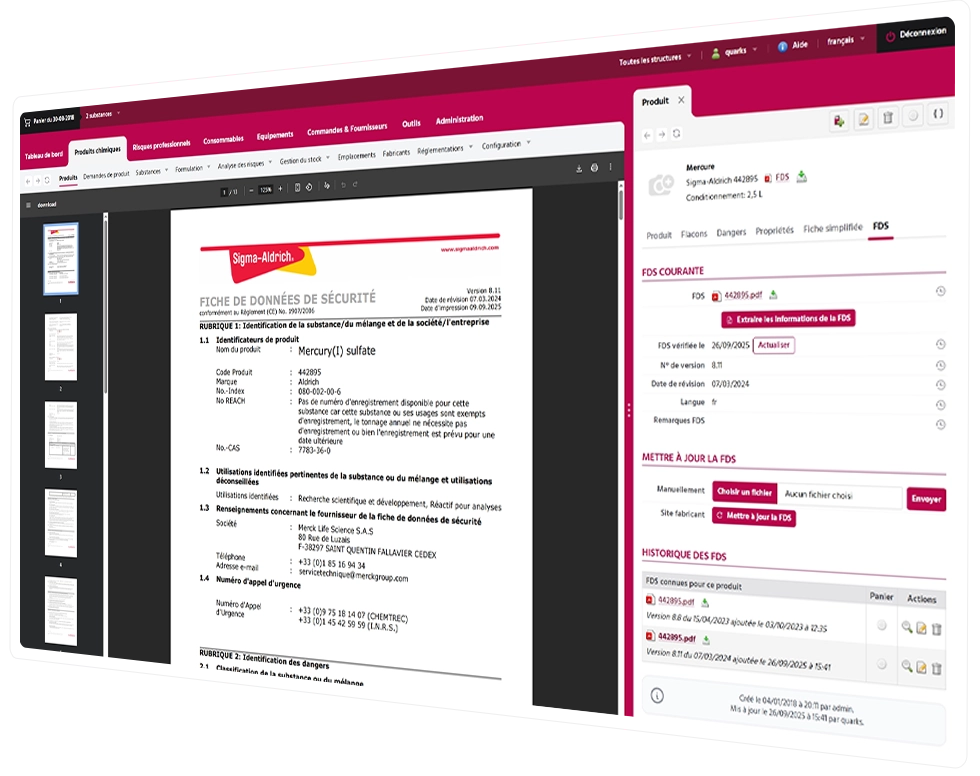
Inventory: Quarks Safety provides a multi-site collaborative interface available in 7 languages. Import your existing products, add new ones by searching the database of 370,000 substances, and automatically link them to the up-to-date SDS provided by the supplier. Each product is precisely located: building, room, cabinet, shelf.
Automatic extraction: Automatic extraction of data from MSDSs instantly retrieves all regulatory information: hazard statements, chemical composition, transport codes, and physicochemical properties. The software automatically calculates the ICPE classification and hazard score for each substance and generates simplified safety data sheets and CLP-compliant repackaging labels.
You can also easily share SDSs with your teams and representatives, in compliance with article R4412-38 of the French Labor Code , generate simplified safety data sheets, or edit repackaging labels in full compliance.
Introducing a new chemical without a formal approval process exposes the company to regulatory and health risks. Quarks Safety allows you to set up a customizable approval workflow…
Quarks Safety lets you set up a customizable approval workflow: each request for use passes through the management and escalation rules you define, taking into account product characteristics and intended use. This means you can quickly validate non-hazardous products, and reinforce the process for high-risk substances (CMR, nanoparticles, toxic products), integrating the opinion of the occupational physician if necessary.

Key benefits :
Find out how our solution allows you to centralize, update and share your safety data sheets with ease. Save time, ensure regulatory compliance and reinforce the safety of your teams on a daily basis.
A safety data sheet is a mandatory regulatory document provided by the manufacturer or supplier for any hazardous chemical. It describes the product’s properties, health and environmental risks, protective measures, and emergency procedures. Under the REACH Regulation (Article 31) and the CLP Regulation, any employer using hazardous chemicals must have up-to-date SDSs and make them available to employees (Article R4412-38 of the Labor Code).
An SDS must be updated as soon as new information about the product’s hazards becomes available, when there is a change in composition, or when there is a regulatory revision (new CLP classification, inclusion on the REACH SVHC list, etc.). In practice, suppliers update their MSDSs every 1 to 3 years on average, but urgent updates may occur at any time. Quarks Safety automatically monitors these updates for all products in your inventory.
Managing MSDSs becomes complex as soon as a company operates across multiple sites: different inventories, products that are common to all sites or specific to each site, and autonomous local teams. Quarks Safety offers multi-site management with granular access rights: each site manages its own inventory while sharing a common SDS library, and group managers have a consolidated view of all sites.
The full MSDS (16 regulatory sections) is the reference document provided by the supplier. The simplified safety data sheet, also known as a workstation guide or simplified product sheet, is an internal document prepared by the employer for operators, written in accessible language. It includes the essential information from the SDS (hazards, PPE to be worn, actions to take in the event of an accident) without the technical complexity. Quarks Safety automatically generates the simplified sheets based on the data from the SDS.